Introduction
Saree photos always perform well on Instagram, from Diwali looks to wedding guest photos. A perfect shoot needs time, light and a photographer, but an AI prompt in ChatGPT or Midjourney can create the same look in minutes.
Below are 10 original prompts, each with its best tool, ratio and tips. Upload your own photo as a reference where allowed. For wedding guest photos, pair these with our AI wedding photo prompts for matching couple looks.
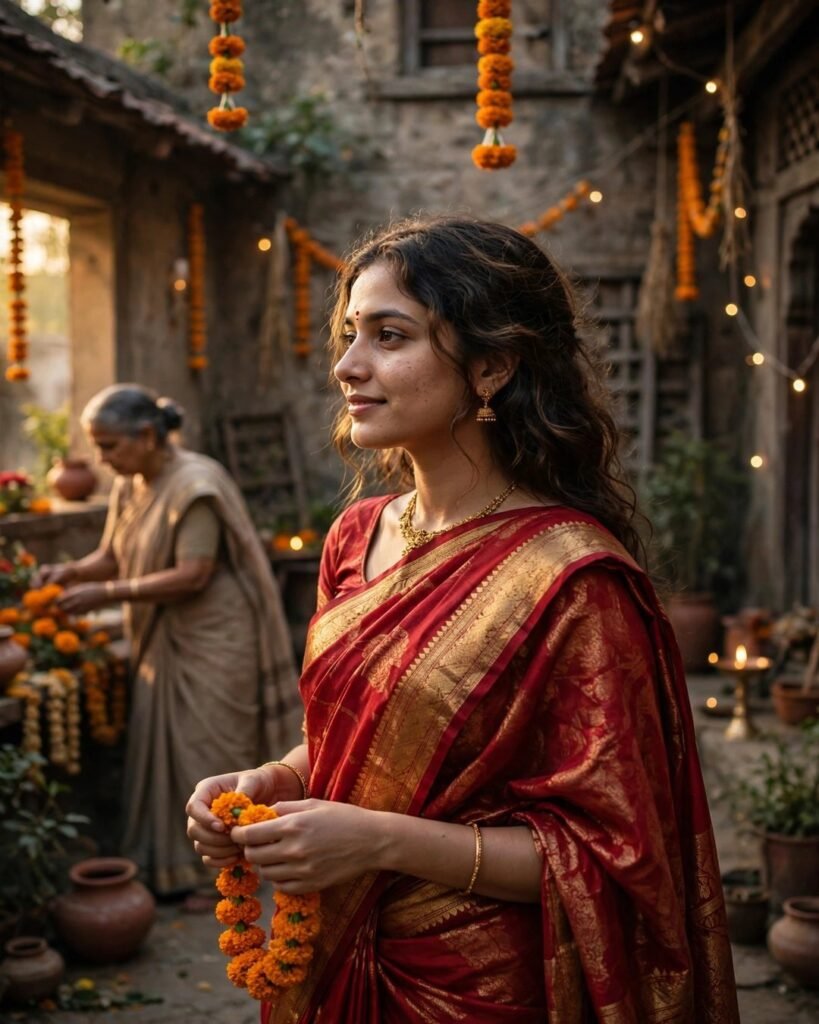
1. Classic Red Banarasi Saree Portrait
A timeless festive look with red silk, gold zari and warm golden light.
Create a beautiful portrait of a young Indian woman wearing an elegant red Banarasi silk saree with golden zari border, traditional gold jewellery, small red bindi, soft wavy hair, standing in a warm decorated home with marigold flowers and fairy lights in the background, golden hour lighting, realistic skin texture, graceful smile, ultra-detailed, photorealistic, 4k quality
Tool: ChatGPT or Gemini | Ratio: 4:5 | Tips: Keep jewellery simple for a modern look; use a plain background if the first result looks busy.

2. Pastel Chiffon Saree in a Garden
A soft, dreamy daytime look with pastel colours and natural sunlight.
Create a soft and dreamy photo of a young Indian woman in a pastel pink chiffon saree with a delicate floral print, light makeup, loose curly hair, standing in a green garden with blooming flowers, soft morning sunlight, gentle breeze moving the saree pallu, natural colours, realistic portrait, high detail
Tool: Gemini or Bing Image Creator | Ratio: 4:5 | Tips: Try lavender, mint or peach instead of pink; keep the background blurred for a clean portrait.
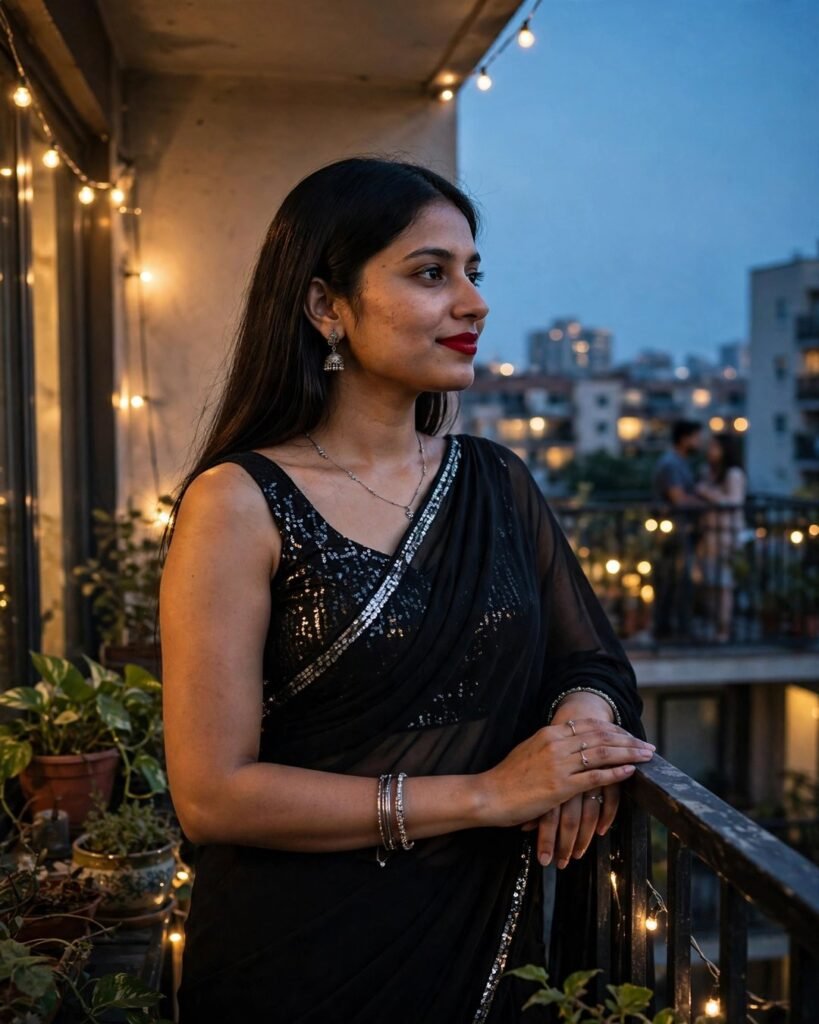
3. Black Saree Evening Glam Look
Bold and elegant, ideal for evening parties, receptions and Reels covers.
Create a glamorous evening portrait of a young Indian woman wearing a black georgette saree with a sequin blouse, silver jewellery, bold red lipstick, sleek straight hair, standing near a softly lit balcony with city lights in the background, cinematic lighting, confident expression, realistic photo, ultra-detailed
Tool: Midjourney or ChatGPT | Ratio: 4:5, 9:16 for Reels | Tips: Use silver jewellery for a premium feel; ask for a full-length shot to show the drape.
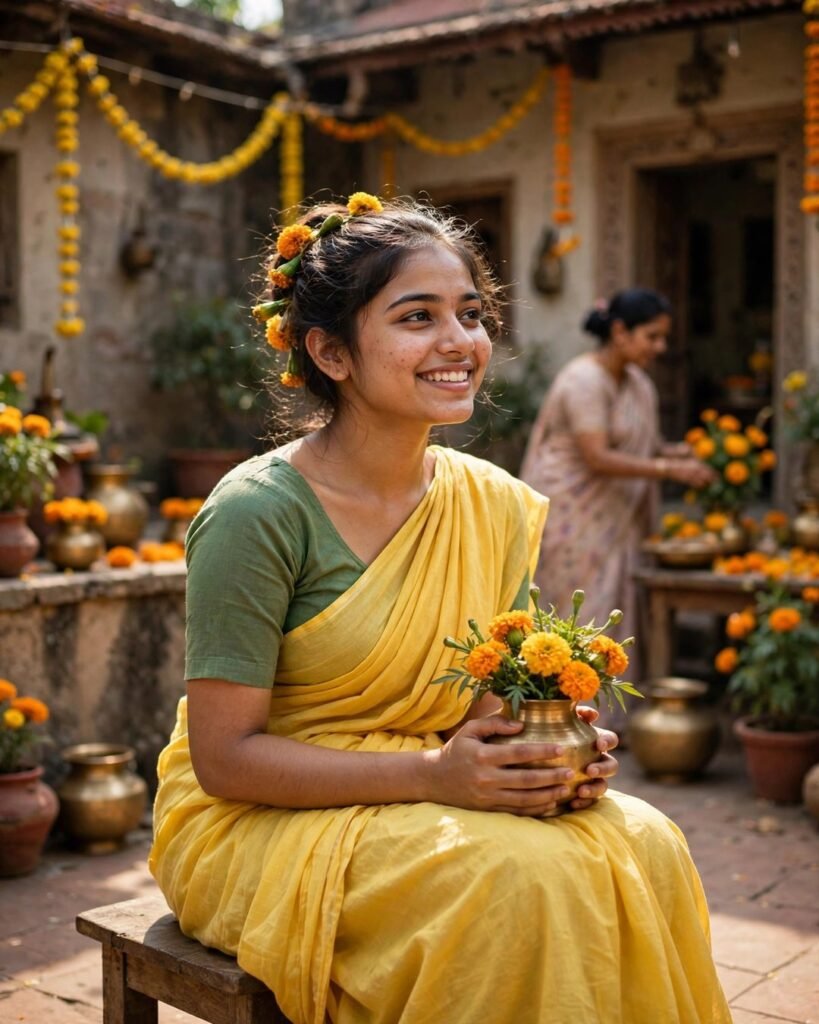
4. Yellow Haldi Saree Look
Bright and cheerful, perfect for Haldi ceremonies and festive mornings.
Create a cheerful photo of a young Indian woman in a bright yellow cotton saree with a green blouse, fresh marigold flowers in her hair, minimal makeup, smiling naturally, sitting in a courtyard decorated with yellow flowers and traditional brass pots, bright daylight, joyful mood, realistic Indian festive photography
Tool: Gemini or ChatGPT | Ratio: 4:5 | Tips: Add turmeric on the hands for a real Haldi feel; keep the smile natural.

5. Temple Saree in South Indian Style
A graceful Kanjivaram silk look with temple jewellery, ideal for cultural posts.
Create a traditional South Indian portrait of a young woman wearing a deep green and gold Kanjivaram silk saree, temple jewellery, jasmine flowers in a braided hairstyle, standing in front of an old temple with stone carvings, soft golden light, calm and graceful expression, photorealistic, detailed fabric texture
Tool: ChatGPT or Midjourney | Ratio: 4:5 | Tips: Try maroon or mustard for a different mood; ask for a side profile for an artistic photo.
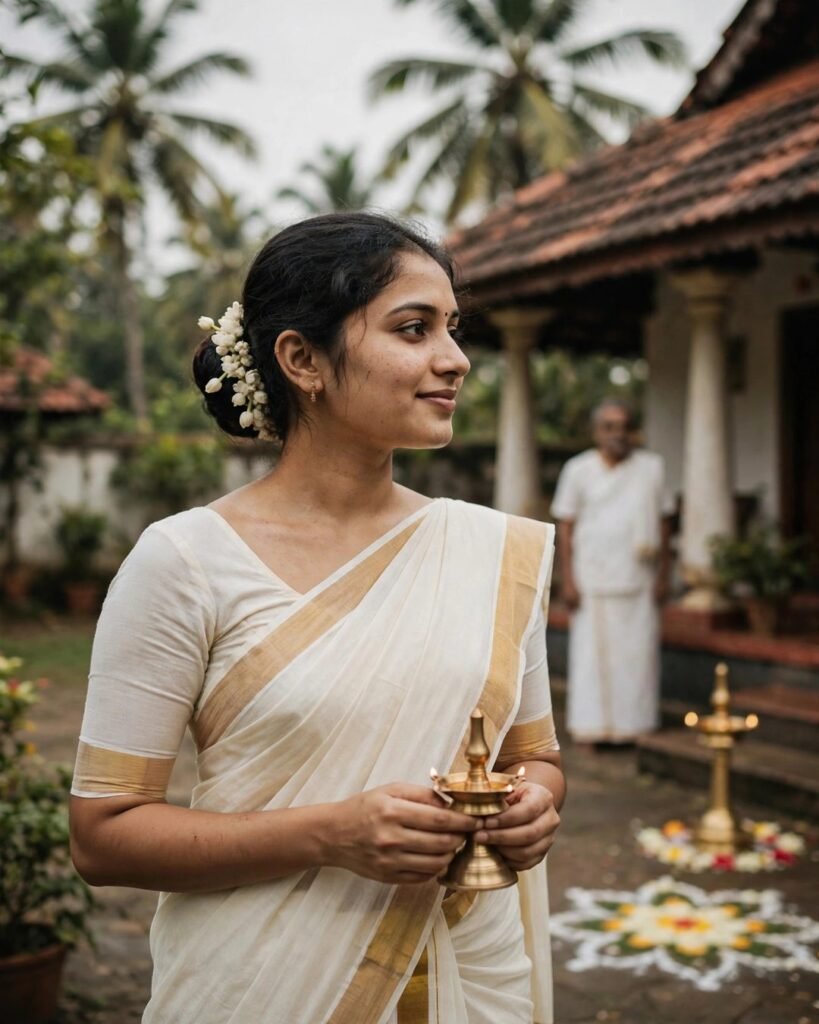
6. White and Gold Onam Saree Look
Clean and elegant, the white and gold Kerala saree suits Onam and simple traditional posts.
Create an elegant photo of a young Indian woman wearing a white Kerala saree with a golden border, small gold earrings, hair tied in a neat bun with jasmine flowers, standing near a traditional Kerala home with coconut trees and a brass lamp, soft daylight, peaceful expression, realistic photography, high detail
Tool: Gemini or Bing Image Creator | Ratio: 4:5 | Tips: Add a brass lamp or rangoli in the background; keep makeup very light.
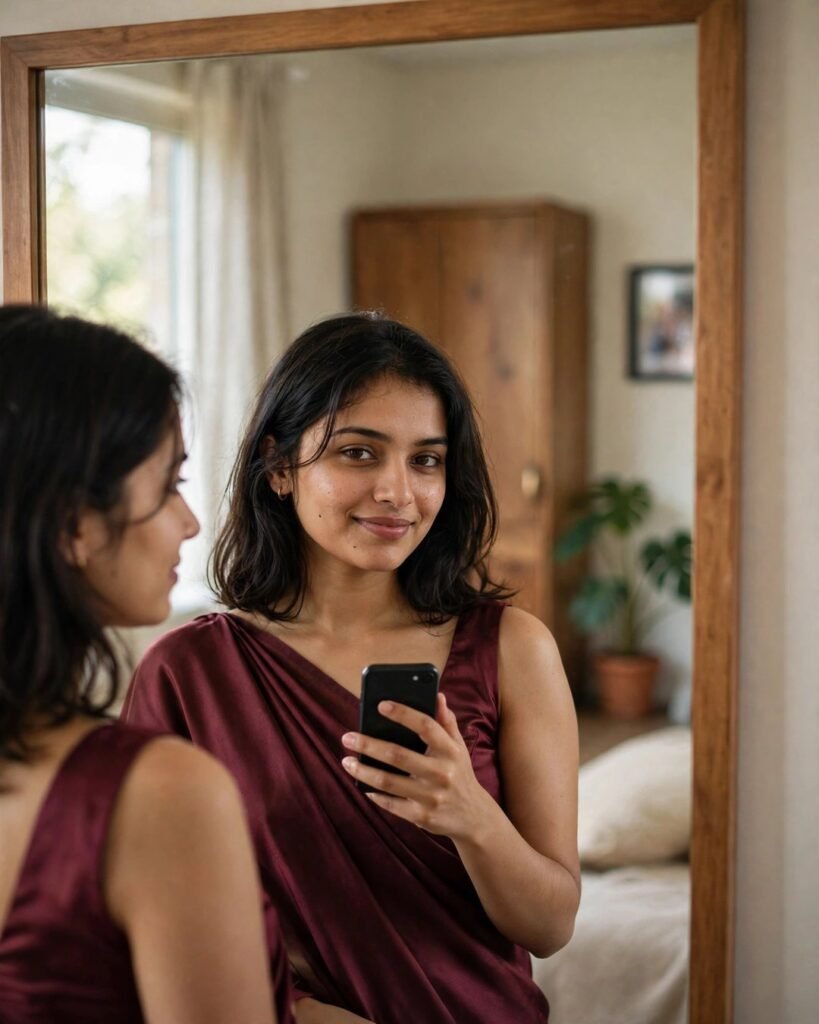
7. Mirror Selfie in a Saree
A trendy, personal Instagram style that needs no professional shoot.
Create a realistic mirror selfie of a young Indian woman in a maroon satin saree with a sleeveless blouse, holding a phone in one hand, standing in a bright modern bedroom with a large mirror, soft natural light from a window, candid and confident pose, realistic skin and fabric details, Instagram style photo
Tool: ChatGPT with your photo | Ratio: 9:16 | Tips: Keep the phone small so your face stays clear; choose a plain wall. For more mirror selfie ideas, see our insta-style mirror selfie AI photo prompt.
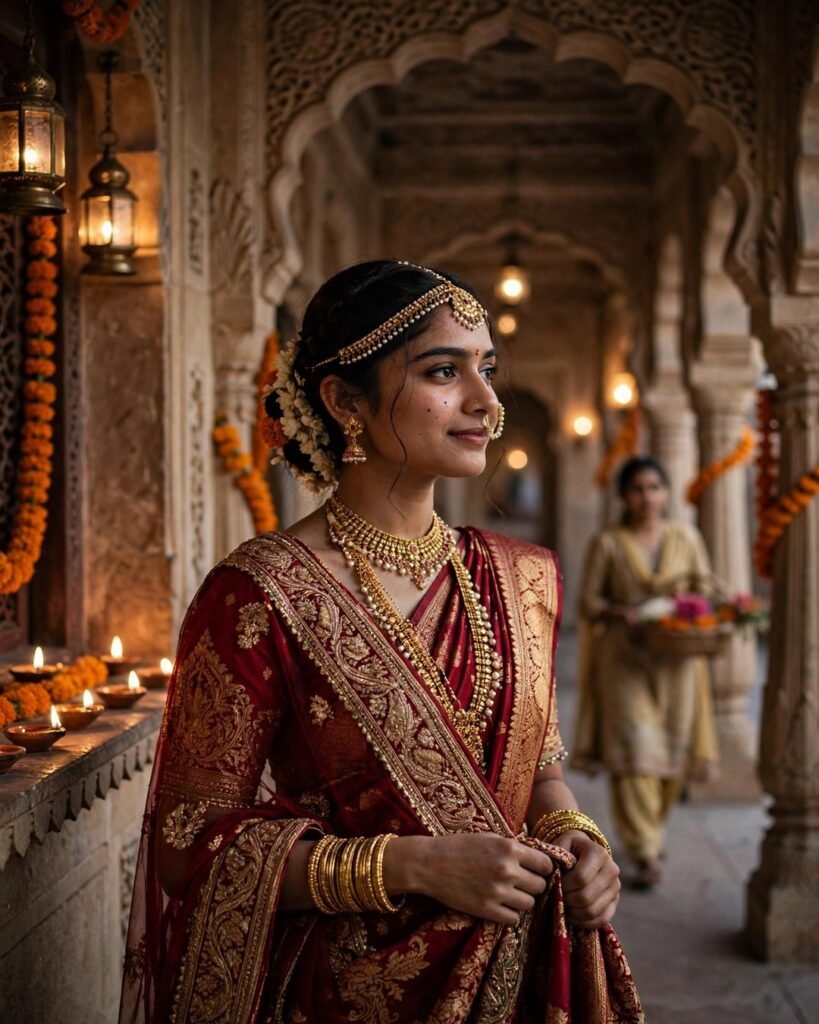
8. Royal Bridal Saree Look
A rich bridal look with heavy embroidery and royal jewellery, best for wedding season.
Create a royal bridal portrait of a young Indian woman in a deep red bridal saree with heavy gold embroidery, maang tikka, nose ring, bangles and a traditional bridal hairstyle, standing in a royal palace hallway with warm lights and flowers, soft glow on the face, elegant and graceful, photorealistic, ultra-detailed
Tool: Midjourney or ChatGPT | Ratio: 4:5 | Tips: Reduce the jewellery for a simpler bridal look; try maroon or pink.
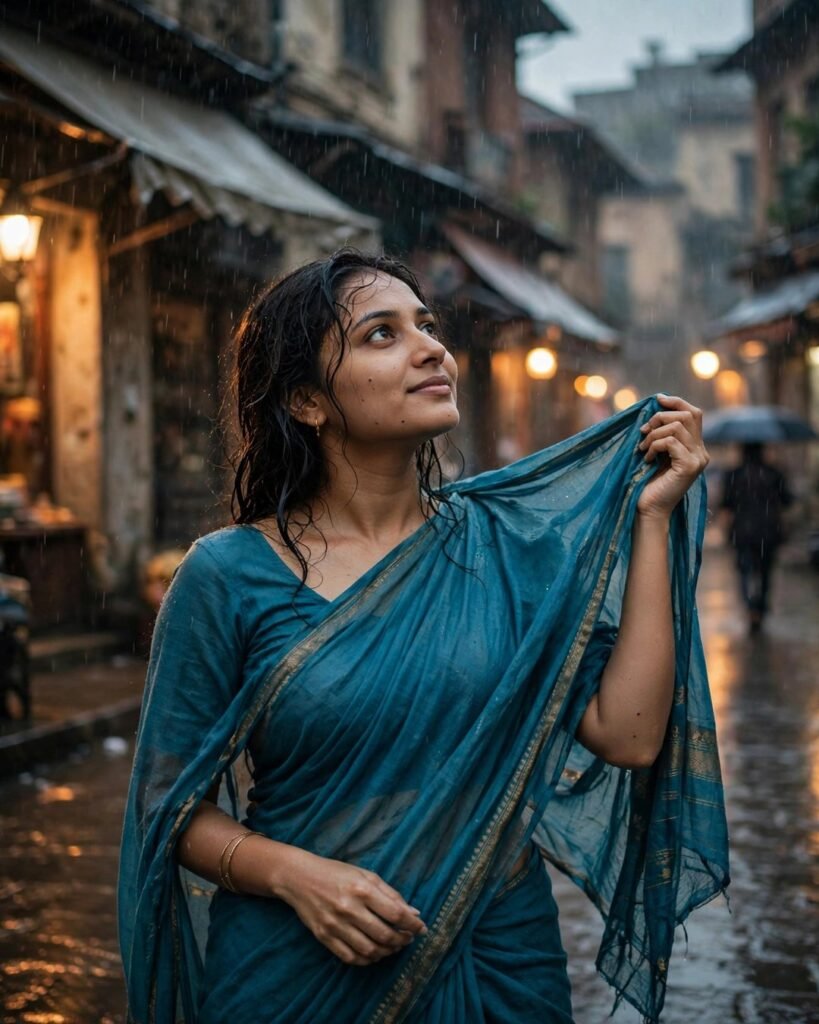
9. Saree in the Rain
A cinematic, romantic look that stands out in the feed.
Create a cinematic photo of a young Indian woman in a teal blue saree standing in light rain on a quiet street, wet hair, saree pallu flowing in the wind, soft street lights and blurred buildings in the background, romantic and dreamy mood, realistic water drops, detailed and photorealistic
Tool: Midjourney or Gemini | Ratio: 4:5 | Tips: Keep the rain light so the face stays clear; use teal, navy or purple.

10. Modern Office Saree Look
A smart, professional saree look for work posts and LinkedIn photos.
Create a modern professional photo of a young Indian woman wearing a grey and white printed saree with a simple blouse, minimal jewellery, neat hairstyle, standing in a bright modern office with glass windows and plants, confident smile, natural daylight, clean and professional style, realistic portrait
Tool: ChatGPT or Gemini | Ratio: 4:5, 1:1 for profile | Tips: Choose grey, beige or navy for a formal look; keep the background simple.
How to Use These Prompts
Copy the prompt into ChatGPT, Gemini, Midjourney or Bing Image Creator. Upload a clear front-facing photo first if allowed, adding “keep the same face and identity”. If a prompt gives a weak result, our guide on how to write perfect AI photo prompts shows how to fix the wording. Generate two or three versions, pick the most natural one, and edit one detail at a time. Save in high quality, crop to 4:5 for the feed or 9:16 for Stories and Reels, and add a short caption in your own words. You can finish the post design in Canva before uploading it to Instagram.
Saree Prompt Tips at a Glance
| Look | Best Tool | Ratio | Best For |
|---|---|---|---|
| Red Banarasi | ChatGPT, Gemini | 4:5 | Diwali, weddings |
| Pastel Chiffon | Gemini, Bing | 4:5 | Daytime, garden posts |
| Black Evening | Midjourney, ChatGPT | 4:5, 9:16 | Parties, Reels cover |
| Yellow Haldi | Gemini, ChatGPT | 4:5 | Haldi, festive mornings |
| Temple Silk | ChatGPT, Midjourney | 4:5 | Cultural, festive Reels |
| White Gold Onam | Gemini, Bing | 4:5 | Onam, traditional posts |
| Mirror Selfie | ChatGPT | 9:16 | Stories, outfit posts |
| Royal Bridal | Midjourney, ChatGPT | 4:5 | Wedding season |
| Rain Cinematic | Midjourney, Gemini | 4:5 | Artistic feed posts |
| Modern Office | ChatGPT, Gemini | 4:5, 1:1 | Work, LinkedIn |
FAQ
Which AI tool is best for saree photo prompts?
ChatGPT and Gemini are best for beginners because they accept your photo and keep your face similar. Midjourney gives more cinematic results, while Bing Image Creator is free and easy for quick tries.
Can I use my own photo with these prompts?
Yes. Upload a clear, well-lit photo in ChatGPT or Gemini, paste the prompt and add “keep the same face and identity”. This gives a more personal, realistic result than a random AI face.
What aspect ratio should I use for Instagram?
Use 4:5 for feed posts, 9:16 for Stories and Reels, and 1:1 only for a profile photo or a square post.
Are AI saree photos safe to post on Instagram?
Yes, if you use your own face and do not copy someone else’s photo or identity. Avoid captions that claim a studio shoot when the image is AI-made; a note like “AI-enhanced photo” keeps it honest.
Conclusion
A saree photo does not need a studio or a new saree every time. Start with the red Banarasi or pastel garden look, test it with your own photo, and change the colour or background to match your style. For festive-season looks, our AI photo prompts for Diwali pair well with these saree ideas.